Quishing, Vishing, Smishing & Phishing – What’s the Difference (and Why It Matters to Your Business)?
- How Cyber Criminals Use Multi-Channel Social Engineering Attacks
- Phishing (Email-Based Attacks)
- What is a Fradulent Email?
- Smishing (SMS/Text Message Attacks)
- What is a Smishing (SMS/Text Message Attack)?
- Vishing (Voice Call Attacks)
- Quishing (QR Code Phishing)
- Why This Matters for SMEs
- What To Do If You Think You’ve Been Caught Out
- Prevention: What Actually Reduces Risk
How Cyber Criminals Use Multi-Channel Social Engineering Attacks
Cyber criminals don’t rely on one tactic anymore. They use multiple channels to trick your people – email, phone calls, text messages, even QR codes.
These attacks all fall under the same umbrella: social engineering – manipulating people into giving away access, money, or sensitive data.
Understanding the differences is critical because modern attacks rarely use just one method. A phishing email might be followed by a vishing call. A smishing text may direct someone to scan a QR code.
For SMEs, the risk isn’t theoretical. One click can mean:
Business email compromise
Stolen Microsoft 365 credentials
Ransomware deployment
Data breach and regulatory exposure
Cyber insurance claims being declined
Let’s break them down in plain English.
Phishing (Email-Based Attacks)
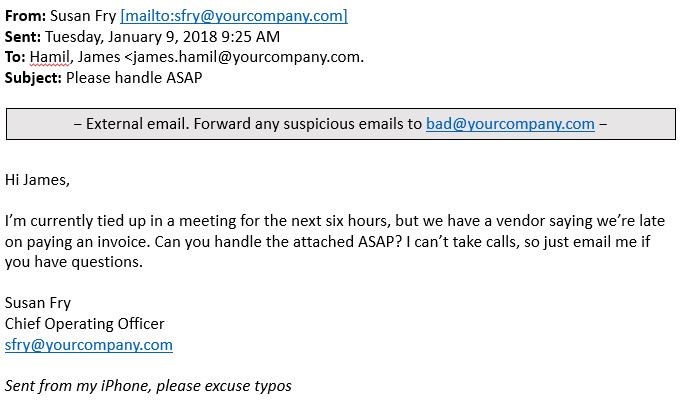
What is a Fradulent Email?
A fraudulent email designed to trick you into clicking a link, opening an attachment, or entering login details.
Common examples:
“Your Microsoft 365 password expires today”
Fake invoice from a supplier
CEO asking for urgent payment
Fake SharePoint document share
How it impacts your business:
Attackers gain mailbox access
They monitor conversations silently
They send fake payment requests to clients
They escalate privileges and deploy malware
This is still the number one entry point for cyber breaches.
Smishing (SMS/Text Message Attacks)

What is a Smishing (SMS/Text Message Attack)?
Phishing via text message (SMS).
Common examples:
“Royal Mail: missed delivery – click here”
“Unusual bank activity detected”
“Voicemail waiting – listen now”
Because texts feel immediate and personal, people are more likely to click without thinking.
Business risk:
Staff entering credentials on fake login pages
MFA fatigue attacks triggered
Corporate mobile devices compromised
Personal phone breaches leading to business exposure
With hybrid working, mobile is now a primary attack surface.
Vishing (Voice Call Attacks)
Fraud via phone call often impersonating IT support, a bank, HMRC, or even your own supplier.
Common tactics:
“We’re from Microsoft – your account is compromised”
“We need you to approve this urgent payment”
“Your CEO has authorised this transfer”
Modern vishing is sophisticated. Criminal groups operate like professional call centres. AI voice cloning is increasingly used to impersonate senior leaders.
Business risk:
Direct financial fraud
Payment diversion
MFA code harvesting
Remote access granted to attackers
One convincing call can override months of good security.
Quishing (QR Code Phishing)

What is Quishing?
Phishing delivered via QR code.
Instead of clicking a suspicious link, the victim scans a QR code that leads to a fake login page.
Where it appears:
Parking meters
Restaurant tables
Posters
Fake invoices
Email attachments with QR codes
Because QR codes hide the destination URL, they bypass the natural “hover and check” instinct.
Business risk:
Credential theft
MFA session hijacking
Malware download
Compromised corporate devices
QR-based attacks are rising because email filters often miss them.
Why This Matters for SMEs
Attackers no longer “hack systems” first.
They hack people.
Most breaches in SMEs start with:
Stolen credentials
Weak MFA
Poor verification of payment changes
Lack of staff awareness
Once inside Microsoft 365 or your email platform, criminals can move laterally, access SharePoint, OneDrive, financial systems, and backup portals.
The financial impact isn’t just ransom. It includes:
Downtime
Reputational damage
Regulatory investigation
Increased cyber insurance premiums
Claims denied due to misrepresented controls
What To Do If You Think You’ve Been Caught Out
If you’ve clicked, scanned, replied or approved something suspicious – speed matters more than embarrassment.
Step 1: Tell your IT Team Immediately
Do not try to fix it quietly. The faster it’s reported, the more likely the damage can be contained.
Step 2: Disconnect (If Advised)
If instructed, disconnect from Wi-Fi or unplug network cable.
Step 3: Change Passwords
From a secure device:
Change your Microsoft 365 password
Sign out of all sessions
Reset MFA if needed
Step 4: Check Bank & Payment Activity
If money or supplier details were involved:
Call your bank immediately
Contact affected suppliers or clients
Step 5: Preserve Evidence
Do not delete:
Emails
Text messages
Call logs
QR codes
These are vital for forensic investigation and insurance.
Prevention: What Actually Reduces Risk
Technology alone isn’t enough. Protection needs layers:
Advanced email filtering
Multi-Factor Authentication with proper configuration
Security Awareness Training (micro-learning works best)
Conditional access policies
24/7 monitoring and threat response
Clear payment verification procedures
Incident response plan tested in advance
The goal isn’t 100% prevention.
It’s rapid detection and containment before damage spreads.
If your team doesn’t clearly understand the difference between phishing, smishing, vishing and quishing, attackers already have an advantage.
Cyber security isn’t about fear.
It’s about awareness, preparation and layered defence.
Because in today’s environment, the question isn’t:
“Will someone try?”
It’s:
“How quickly will we spot it — and how well are we prepared to respond?”
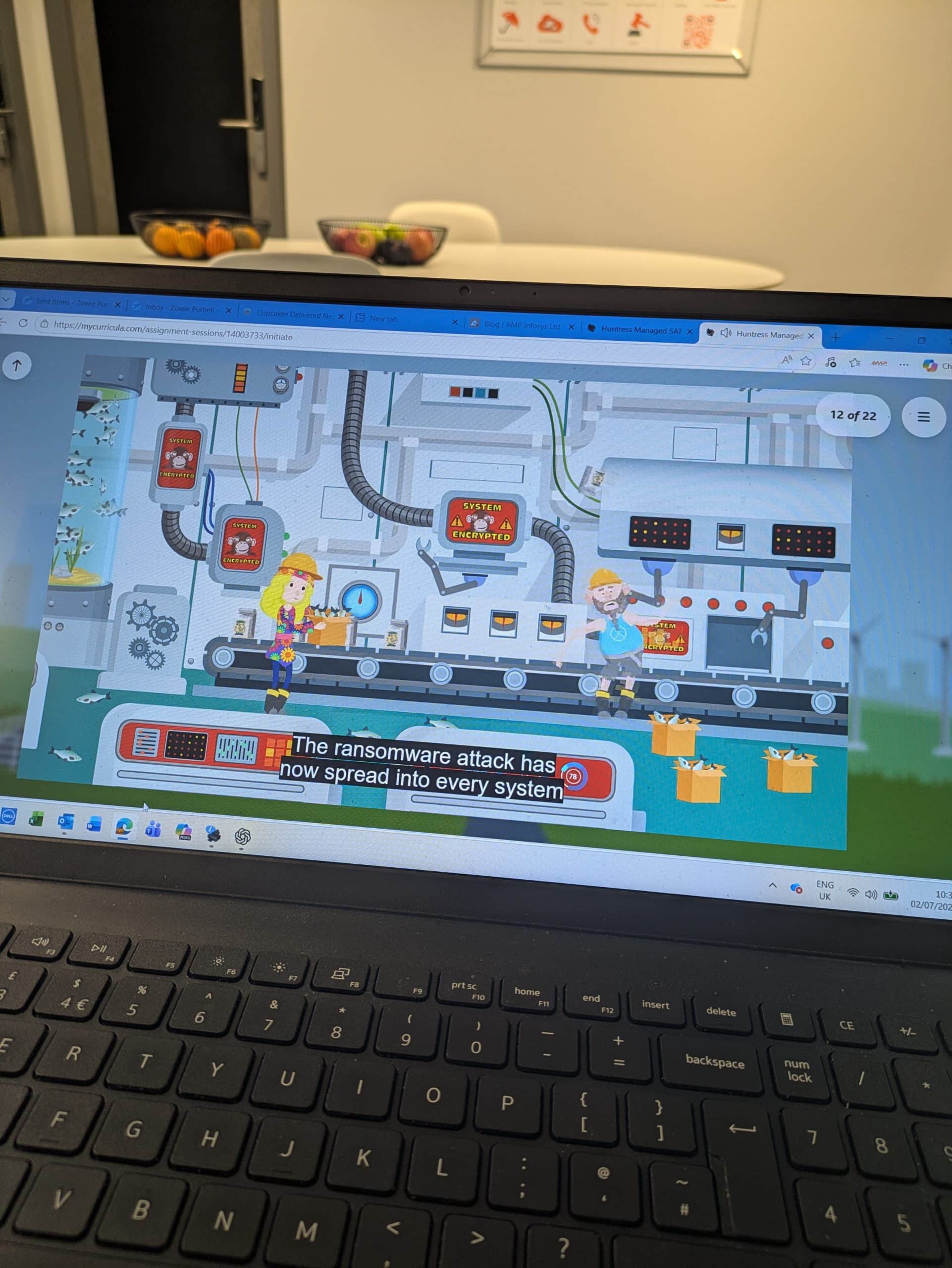
Our Security Awareness Training programmes cover these sorts of topics and frequent, ongoing training to educate your business is now becoming a requirement for Cyber Essentials and cyber insurance.
Cyber Security Awareness Training (SAT) – Call 0800 368 7730